Awesome AI Creative Gallery
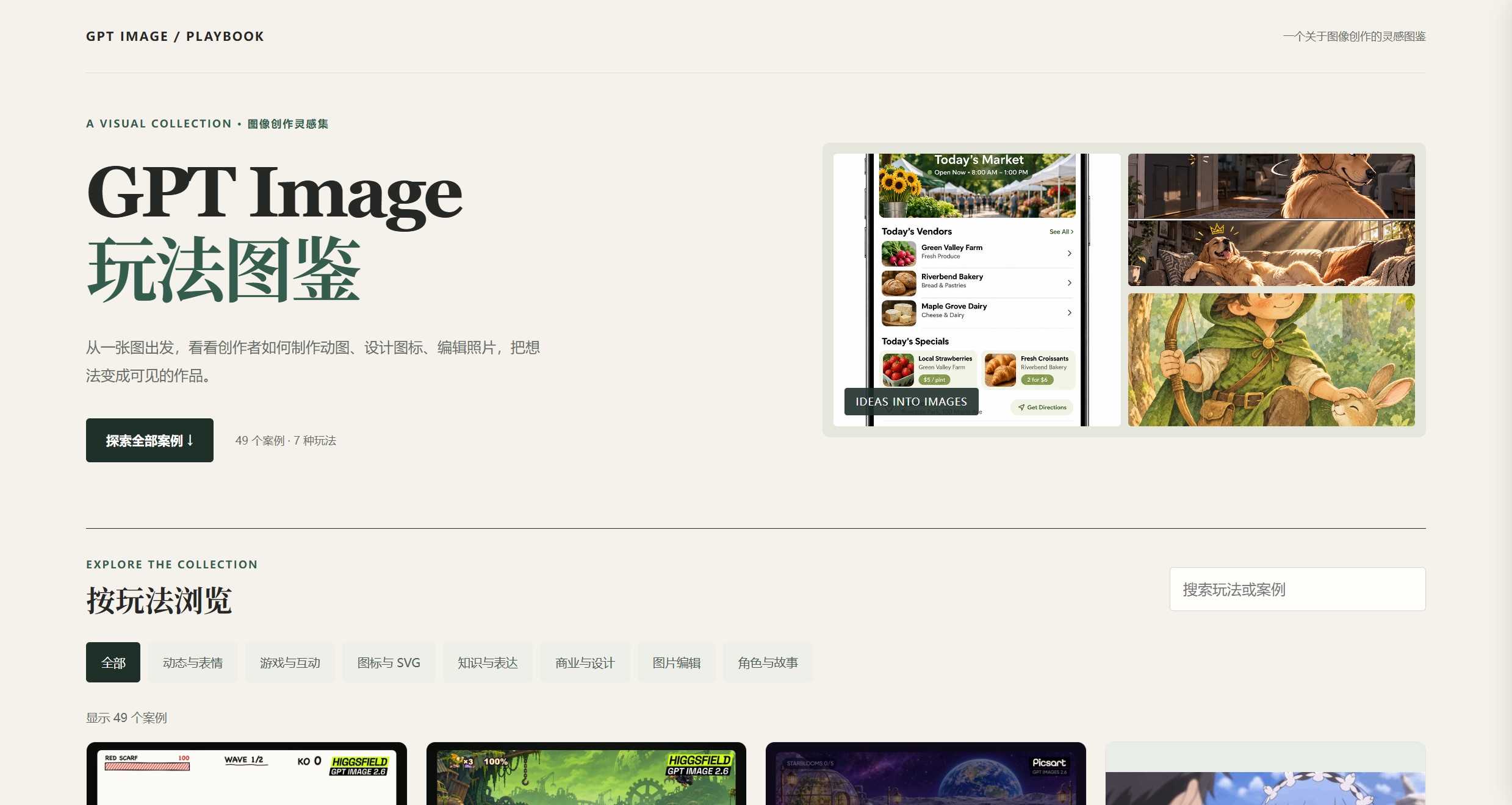
An open-source, filterable gallery of AI image-creation workflows whose cases trace back to named sources — a Datawhale tutorial, OpenAI's official prompting guide, 24 X threads and a Reddit field report, each with the reference prompt attached.
- cases
- 49 cases · 7 workflow categories
- author
- li-xiu-qi (GitHub)
- license
- MIT (code) · media stays with original owners
- model focus
- GPT Image 2.6 (expanding)
- platform
- Static site · GitHub Pages
- ui languages
- Chinese · English
- references
- 24 X threads · OpenAI guide · 2 articles · Reddit
- published
- 2026-11-11
- updated
- 2026-11-11
Contents8 sections · 5 items
The gallery
Awesome AI Creative Gallery is an open-source, MIT-licensed collection of AI image-creation workflows, curated by GitHub user li-xiu-qi and published as a zero-dependency static site (clone the repo, open index.html, done). Currently 49 cases across seven workflow categories — 动态与表情 / 游戏与互动 / 图标与 SVG / 知识与表达 / 商业与设计 / 图片编辑 / 角色与故事 — filterable by scenario, workflow and model version, with a Chinese/English toggle and keyword search.
Its own README sets the reading rule: see the effect first, then find the method. Every case links back to its original source and carries the reference prompt.
Where its cases come from
The gallery is not a prompt dump; its data file cites named sources for every case:
- 24 original X threads — the creators behind the demos (MrLarus, umesh_ai, chetaslua, LinusEkenstam, gabrielchua and others). The character reference sheets, markup-guided edits and sticker loops all trace to a specific post.
- One launch tutorial — Datawhale's 整理了最新GPT-Images-2.6的全网10个爆火用法!, which distills the launch material into ten starter plays, each with a ready-to-copy prompt — broken out play by play in the next section.
- One Reddit field report — a hands-on with the new GIF feature, straight from a user rather than a marketing post.
- One sibling collection — ZeroLu/awesome-gpt-image, the neighboring repo it cross-references.
The ten starter plays
The tutorial splits its ten plays into five scenario families. Each comes with a "how to start" note and a reference prompt; the prompts below are English renderings of the tutorial's Chinese originals.
Characters and dynamic assets
1. Static character → looping animated sticker. Collapses what used to be AE/Live2D layer rigging into one instruction. Start with one subject and one action, keep the camera fixed, end back at the starting pose — then check the loop seam and whether the face drifts.
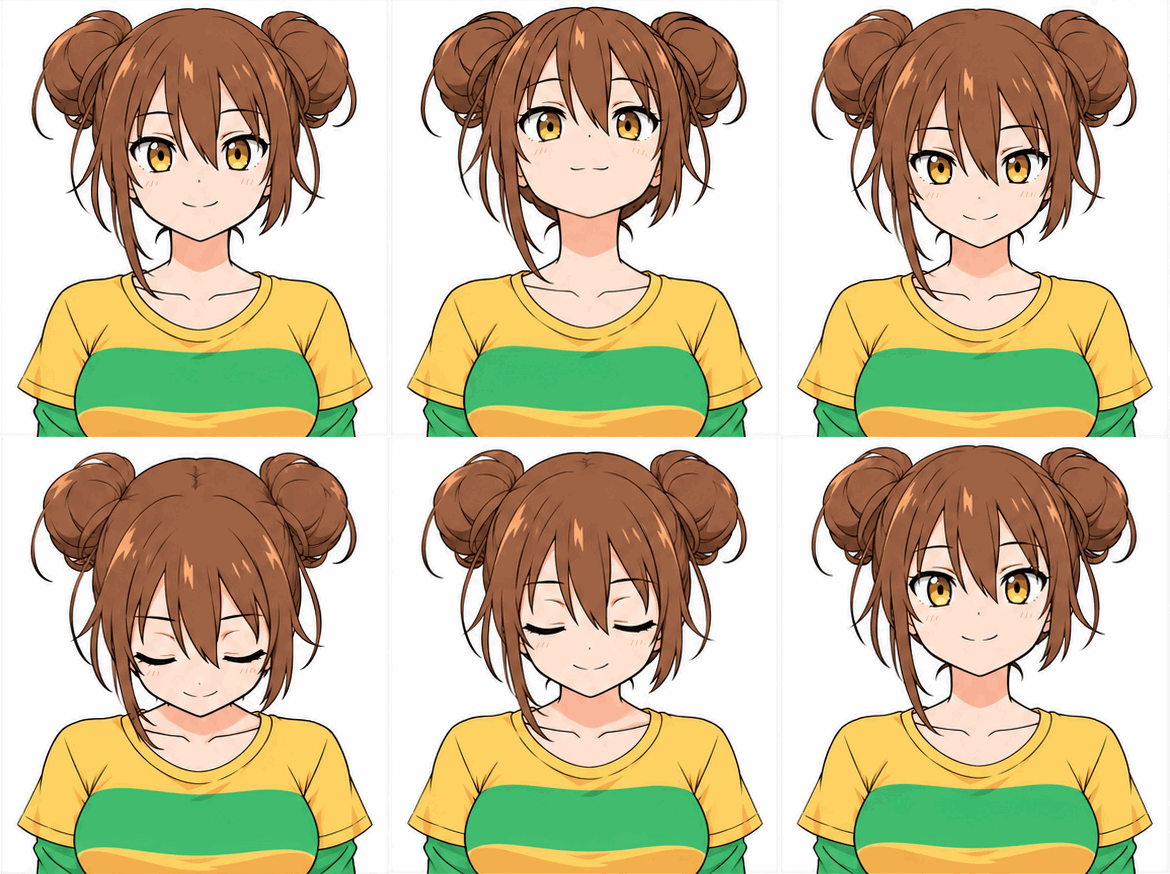
Based on the uploaded character reference, keep the character's hairstyle, clothing and background unchanged. Have the character blink once and wave gently, with smooth natural motion, and return fully to the starting pose at the end, producing a seamlessly looping GIF.
2. Game character action sprite sets. One character sheet yields idle/walk sequences to validate style and pacing before hand-drawing days of frames; the tutorial notes frames still need manual pivot and alpha-channel alignment before entering an engine.
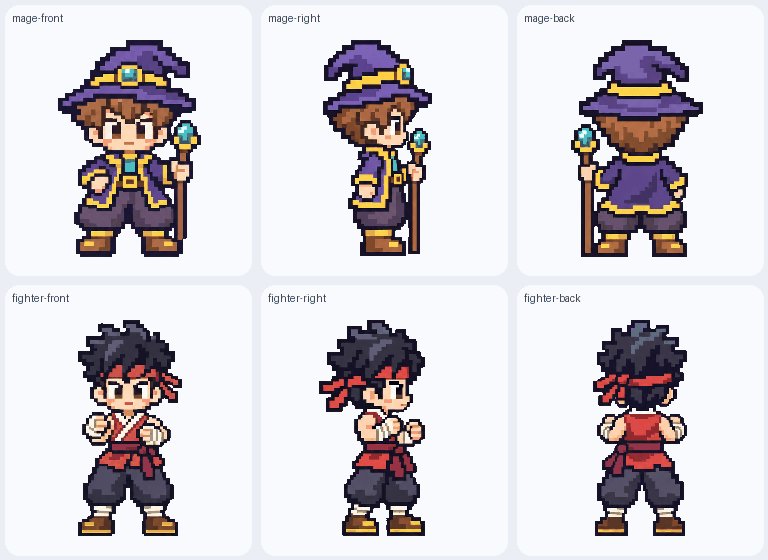
Using the uploaded character artwork as reference, design a set of side-scrolling pixel-style character action frames showing idle and walking-right states; strictly keep the costume colors, proportions and pixel density consistent, with a transparent background.
3. Multi-angle character sheet from one reference. Fixes the "turn the head, new face" problem. List the features that must not change first, then compare accessories and clothing across the views.
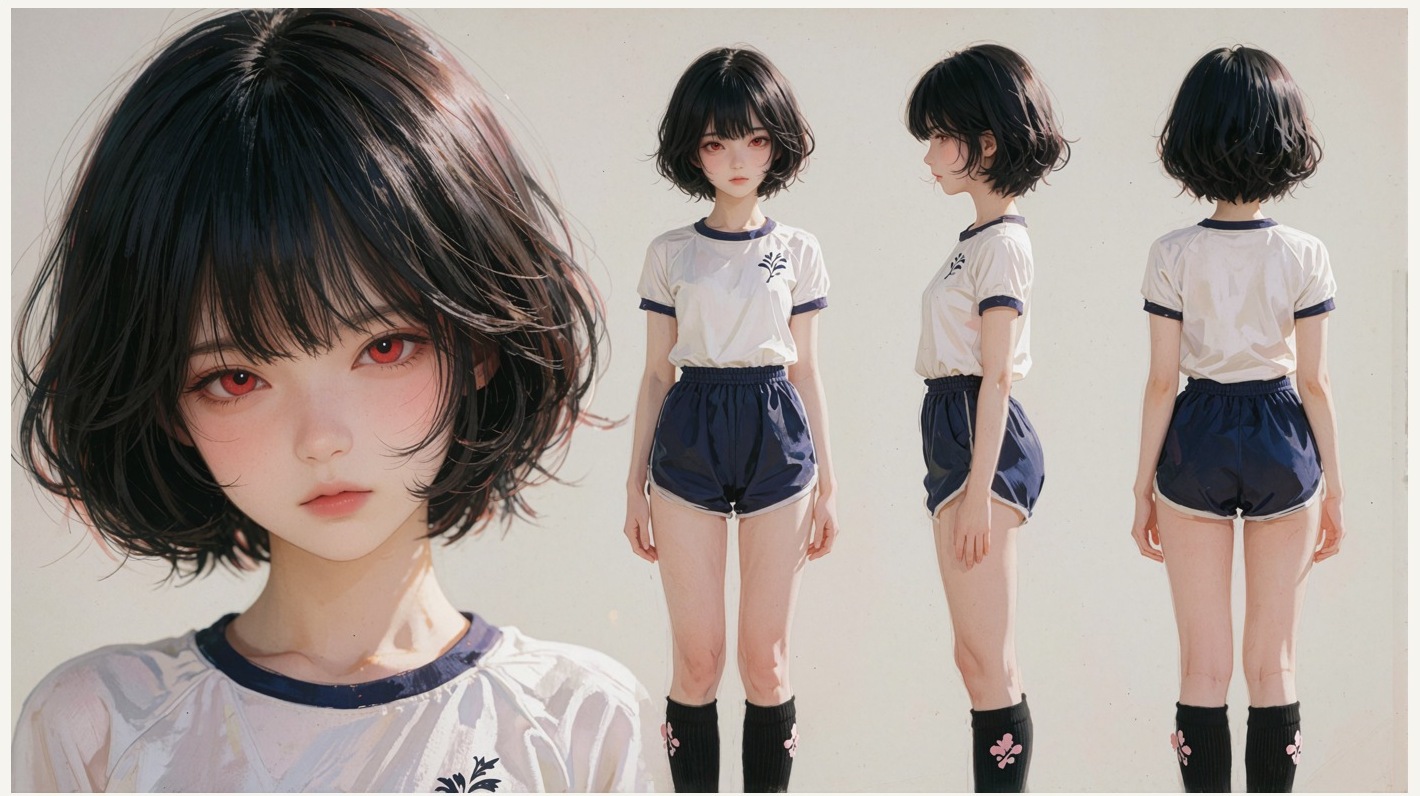
Using the uploaded character illustration as reference, create a horizontal character sheet showing full-body front, side and back views, plus two facial close-ups with different emotions on the right; strictly keep hairstyle, clothing cut, facial features and color palette consistent, on a clean solid-color background.
E-commerce posters and dynamic storefronts
4. Seasonal posters and dynamic ads from one product shot. Two layers: swap the background while locking packaging, labels and text for static materials, then add micro-motion — lid opening, product floating, gentle rotation — for detail pages and feeds.
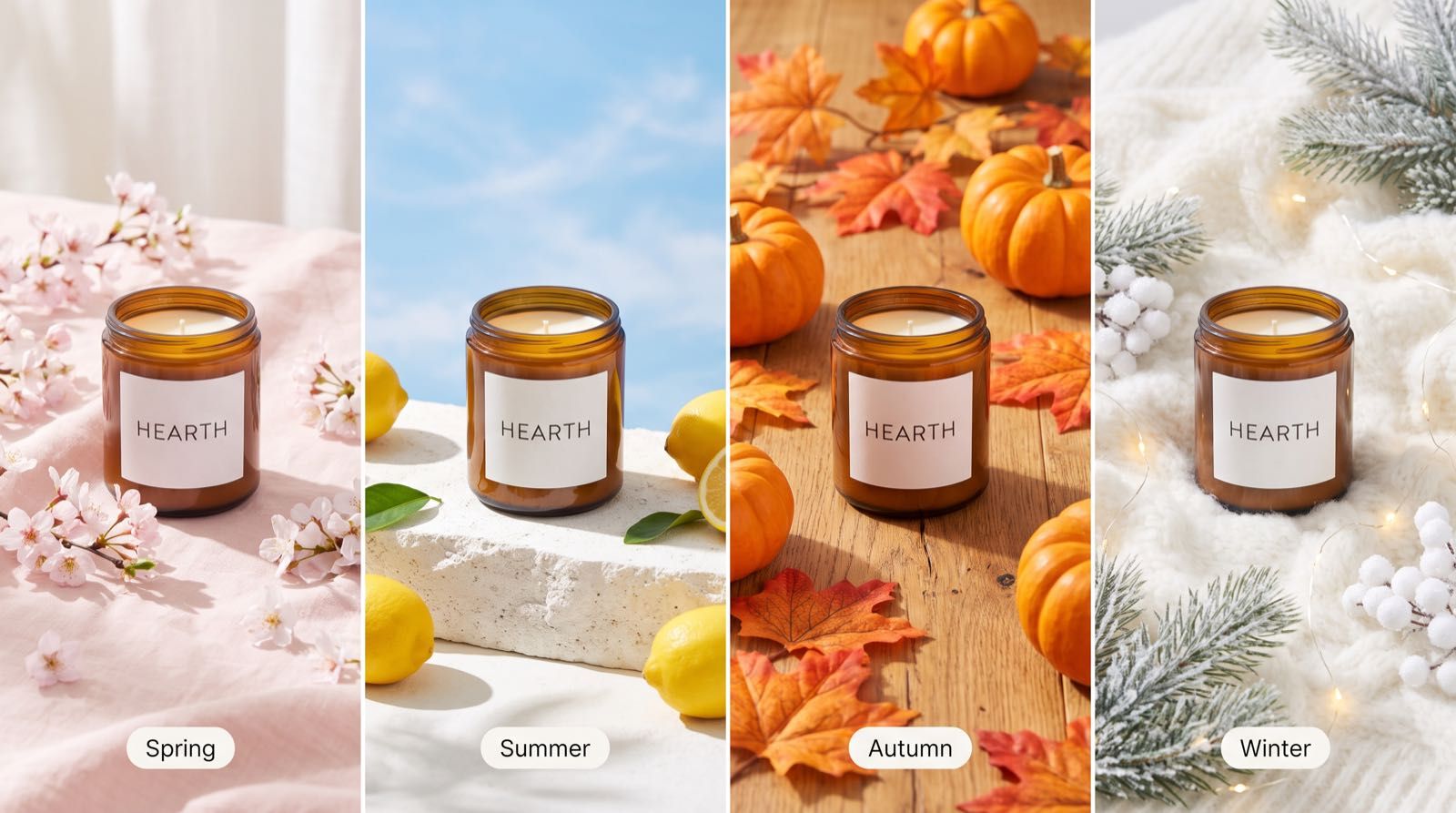
Keep the product packaging, bottle shape, label layout and text in the uploaded image exactly unchanged; replace the background with an autumn wooden tabletop, with soft warm side light, accented by a few maple leaves and dried flowers, keeping the product as the absolute visual focus.
Starting from the product photo, keep the product shape and surface markings fully identical; have the box lid open smoothly, the product rise slowly and hover slightly, then return and close, generating a smooth looping showcase GIF against a minimal solid-color background.
Native vector SVG and icon design
5. Batch-editable SVG icons. Outputs clean vector code instead of bitmaps. Unify stroke width, corner radius and accent color, test a small batch first — and per the official docs, native SVG ships through a separate endpoint, so multi-icon boards need splitting into components before production.
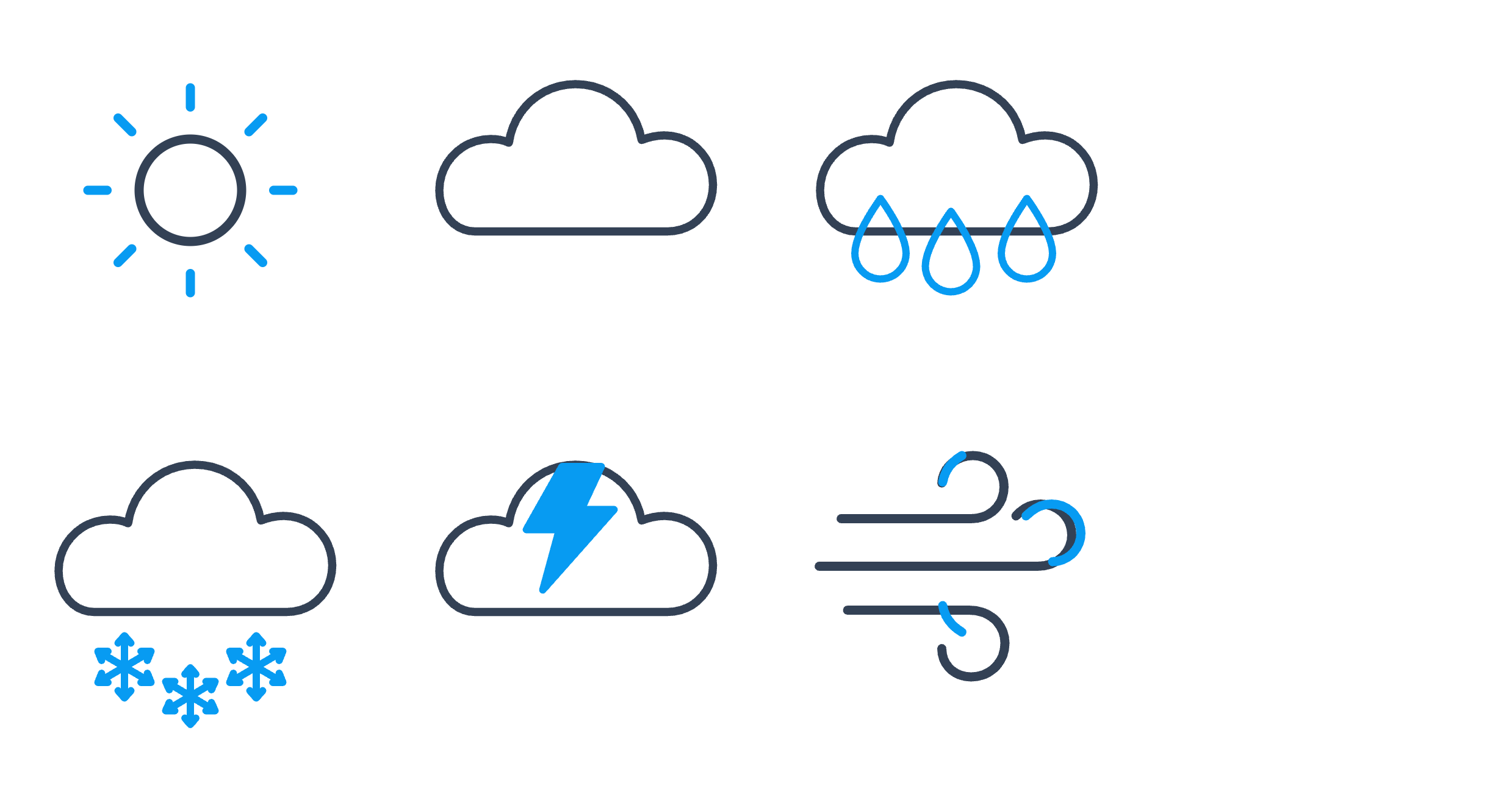
Design a set of linear icons for a weather app covering six elements: sunny, cloudy, light rain, heavy snow, thunderstorm and windy; unify with a 2px stroke, rounded corners and a minimal modern style, one shared accent color, output as clean SVG code.
Circle-annotated edits and sketch rendering
6. Red-circle local edits. Circle the target, state what changes inside the circle and what stays outside, and require the marker removed; then check the seams.
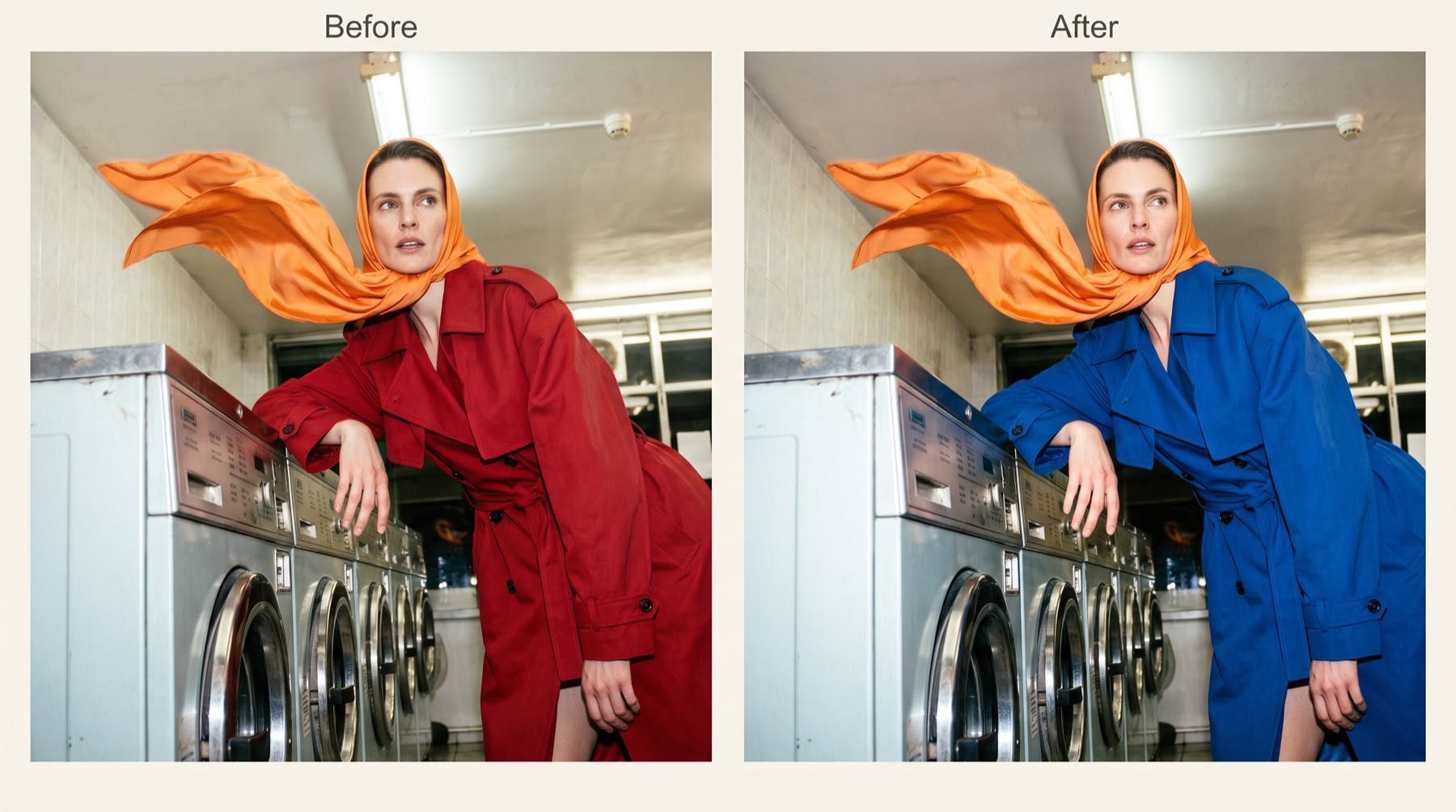
Change the jacket inside the red circle to a deep-blue wool texture; outside the circled area, strictly lock the face, hairstyle, body pose and background; remove the red circle marker in the result, with the boundary blending naturally.
7. Sketch → photoreal render. Rough strokes are enough as long as subject position and perspective are clear; the model fills in materials, light and vegetation for concept communication.
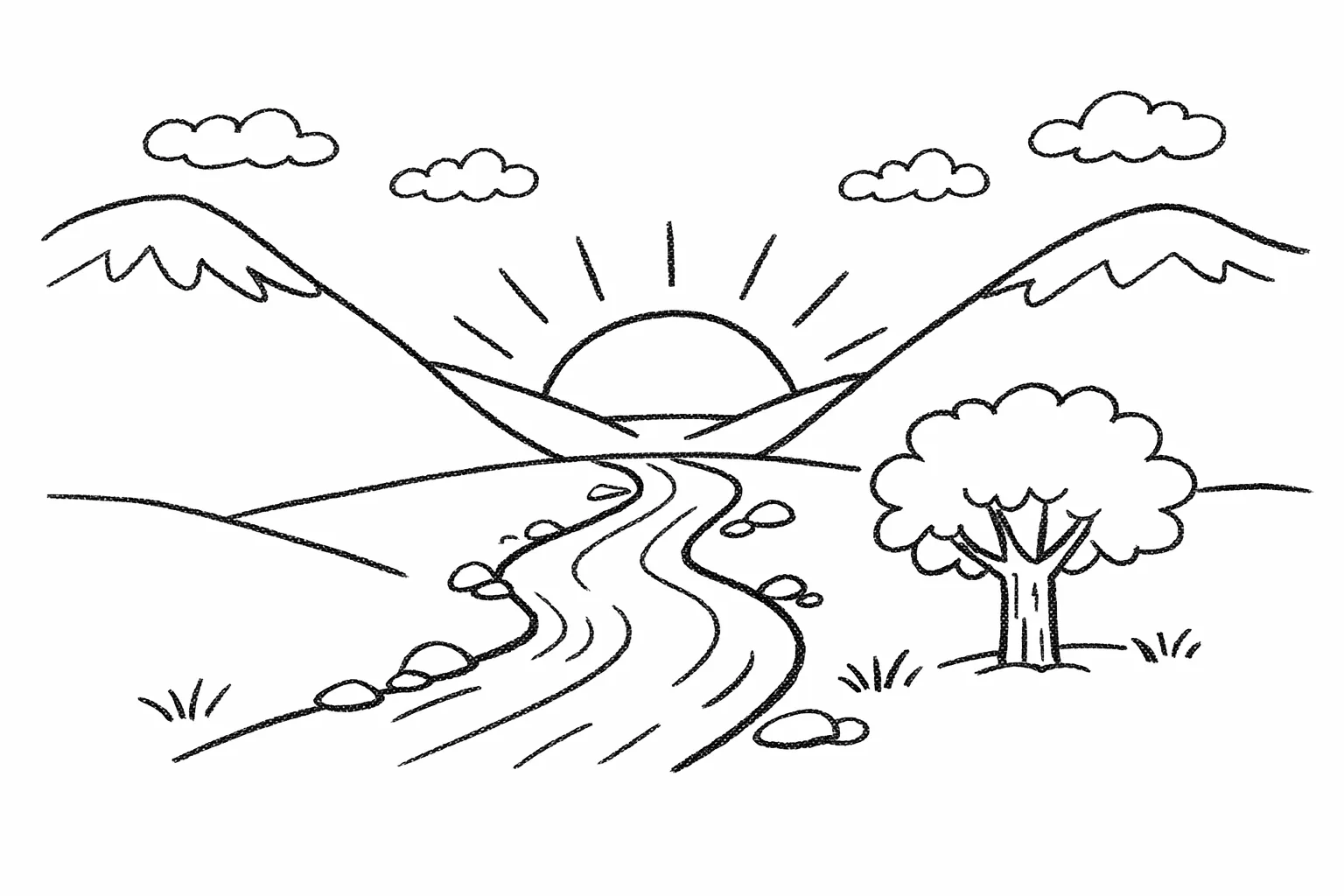
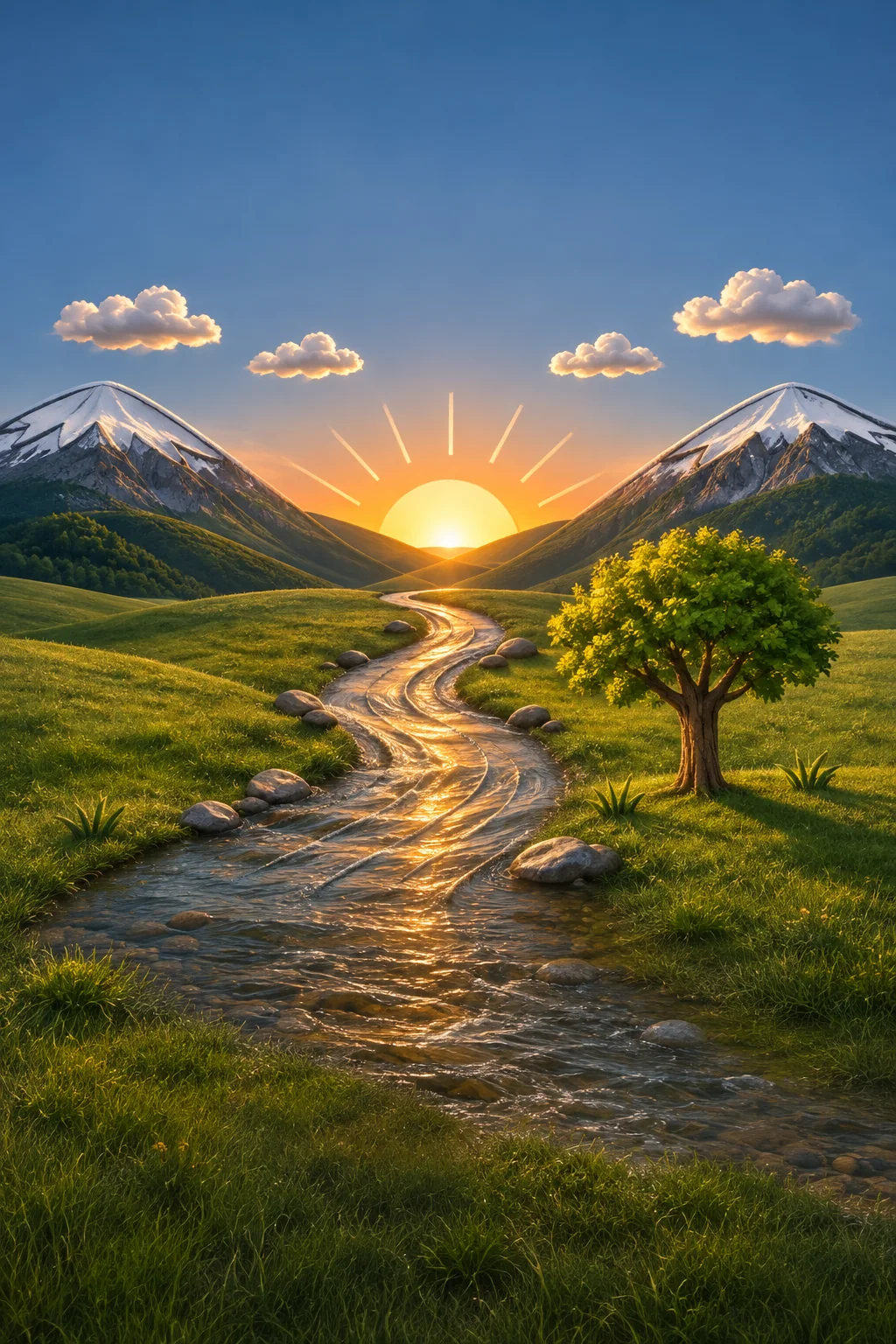
Using the uploaded hand-drawn line art as reference, strictly preserve the original composition, perspective and subject placement; render the sketch as a realistic natural valley in soft morning side light, adding convincing rock texture, ground vegetation and reflections on the calm water.
UI mockups, diagrams and storyboards
8. App and web UI mockups. The output is a visual reference, not code — community developers then hand the mockup to coding agents like Codex to close the loop from visual idea to running front-end.
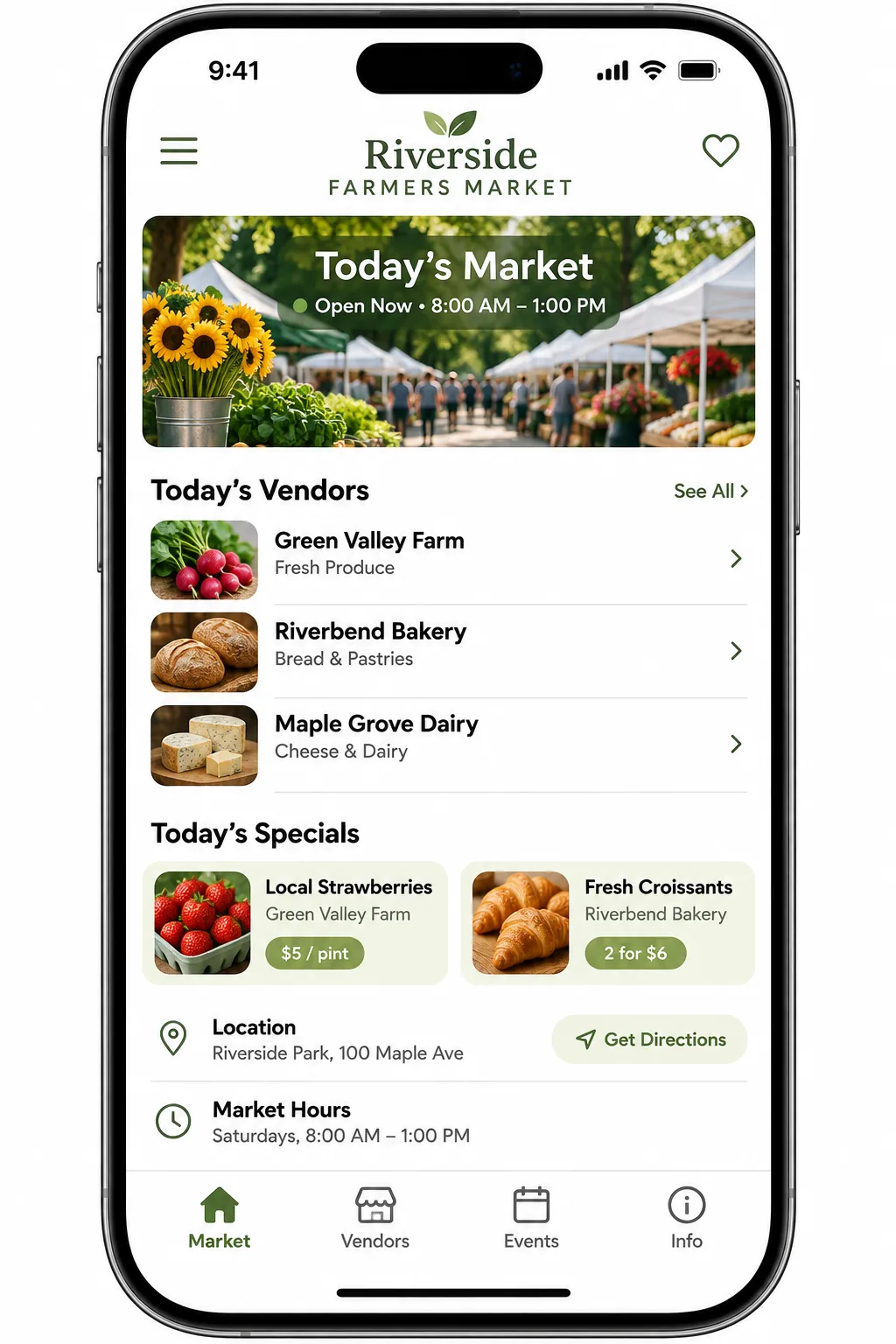
Design a mobile app home screen for a local farmers market, including a vendor list, today's deals and opening-hours sections; use a minimal white background with a natural-green accent, clear information hierarchy, displayed inside a phone screen frame.
9. Knowledge diagrams with in-image translation. Generates labeled process diagrams, or swaps the text inside an existing diagram while keeping layout, arrows and illustrations — the tutorial's pick for localizing technical diagrams; verify terminology by hand in serious fields.
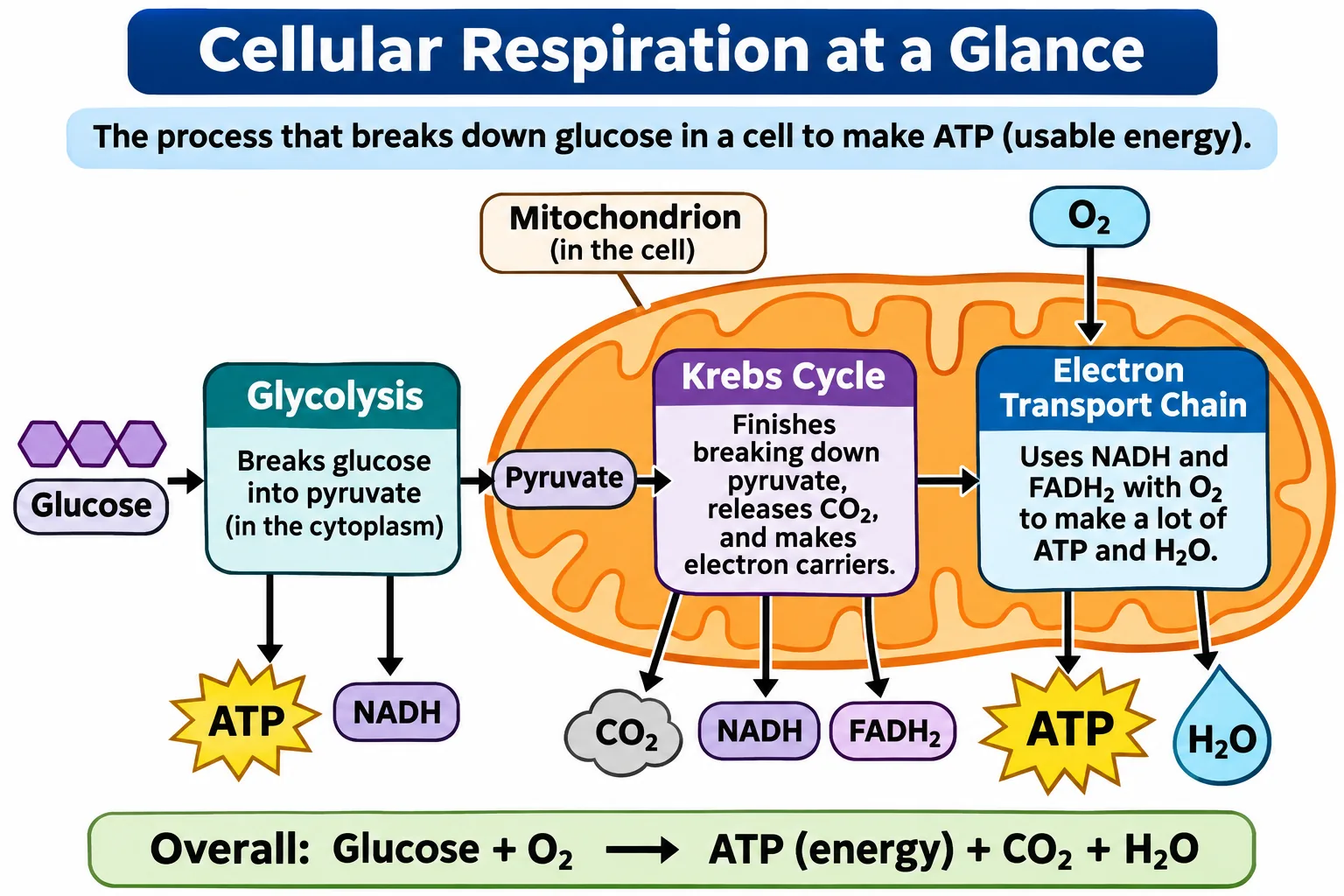
Translate the English text in the image into Chinese, replacing the text in place; keep the background colors, illustration structure, callout arrows and overall layout exactly unchanged, with the font size adapting to the original layout space.
10. Four-panel story comics. Summarize the story in one line, split it into four changing moments, lock the character's look and art style, then read the panels in order to check they tell the story unaided.
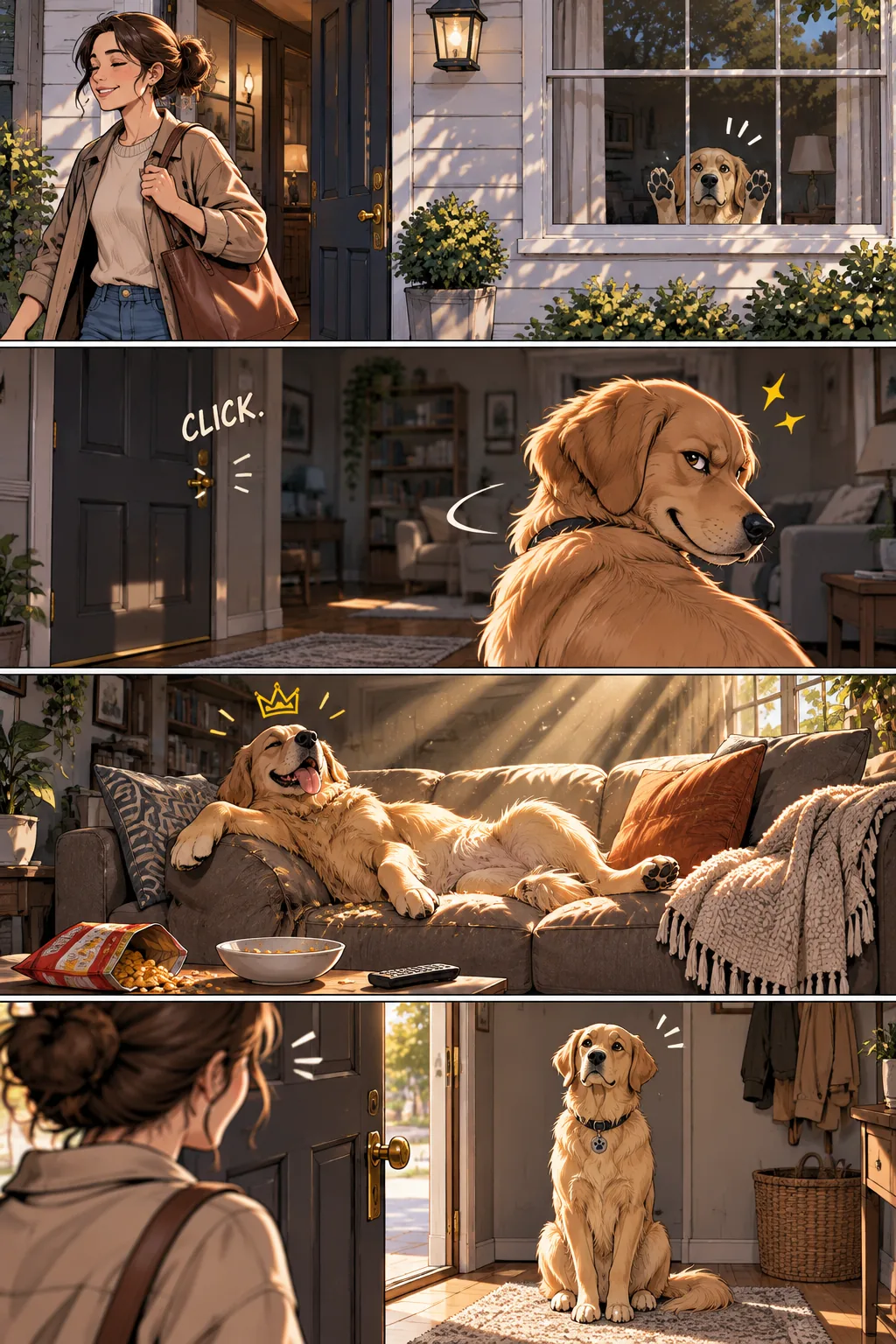
Create a four-panel story comic starring an orange tabby cat. Panel 1: the owner waves goodbye and leaves; panel 2: the cat lies on the windowsill looking out; panel 3: the cat curls up asleep on the living-room sofa; panel 4: the owner opens the door and comes home, the cat sitting upright in the entryway waiting. Keep the character design consistent, with simple, warm linework.
The official guide behind the cases
A quiet backbone: almost every signature workflow in the gallery corresponds to a named section of OpenAI's own gpt-image-2.6 prompting guide — generate a looping GIF, guide an edit with markup, translate while preserving layout, turn a drawing into a realistic image, turn a story into a comic strip, keep a character consistent, create an interface preview.
So the gallery reads as a community-proven layer on top of the official cookbook: the guide names the capability, the gallery shows who has already pushed it and what prompt they used.
How the community rates the model behind it
Why concentrate on GPT Image 2.6 at all? The 卡尔的AI沃茨 head-to-head against Nano Banana 2 across five real scenarios gives the context:
- Text and Chinese typography — GPT's posters read like a real brand (delicate serif fonts, real-looking product pages); Banana's outputs carry a heavier "AI feel". This is where the gallery's poster and infographic cases live.
- Interface replication — GPT produced a convincing music-player and e-commerce home page; this feeds the gallery's UI-mockup workflow.
- Real-world photography — the two were close, down to guessing training-data vintage from an ofo bike in frame.
- Consistency and reference editing — roughly a tie, though GPT's click-to-edit interaction and text stability in comic translation stood out.
The gallery sits squarely on the winner's side of that comparison — and the comparison itself is worth reading for the prompts.
What to keep in mind
- Prompts don't guarantee the same results. The README says it outright: public prompts are no promise of identical output.
- GPT Image 2.6 first. Other models are announced but thin; cases whose source doesn't name a model are tagged "model unconfirmed".
- Some demos are proofs of concept. The Datawhale tutorial itself flags that sprite sheets need manual frame alignment before a game engine, and multi-icon boards need splitting before production.
- Media is not MIT. Only the code is; third-party images and videos belong to their owners.
Verdict
Primary recommendation
Use it as the connective tissue between three layers: OpenAI's official guide for capabilities, Datawhale's tutorial for the ten starter plays, and the 24 source threads for prompt-level detail. When a task looks image-shaped, find the matching case here, then follow its link to the original post before writing your own prompt.
Attribution
Assembled from the project's own README and case data (which cites every source), Datawhale's tutorial, 卡尔的AI沃茨's comparison, OpenAI's official guide and the linked community threads. Gallery maintained by li-xiu-qi under an MIT license for code; featured media remains with the original creators.
Sources
- [1]
- [2]
- [3]
- [4]I tried the new Image 2.6 GIF feature (field report)Reddit r/OpenAI
- [5]
- [6]Awesome AI Creative Gallery — online galleryli-xiu-qi.github.io
- [7]
- [8]
- [9]
Related cases
- → 369 AI Video Projects for Coding AgentsResource
- → Plant SmartResource
- → Lemo-OpuscarTools