Codex: C4D vs Blender
The same prompt and the same reference photo sent through Codex into Blender and Cinema 4D — 21:09 against 22:44 to build, and one renderer that never finished.
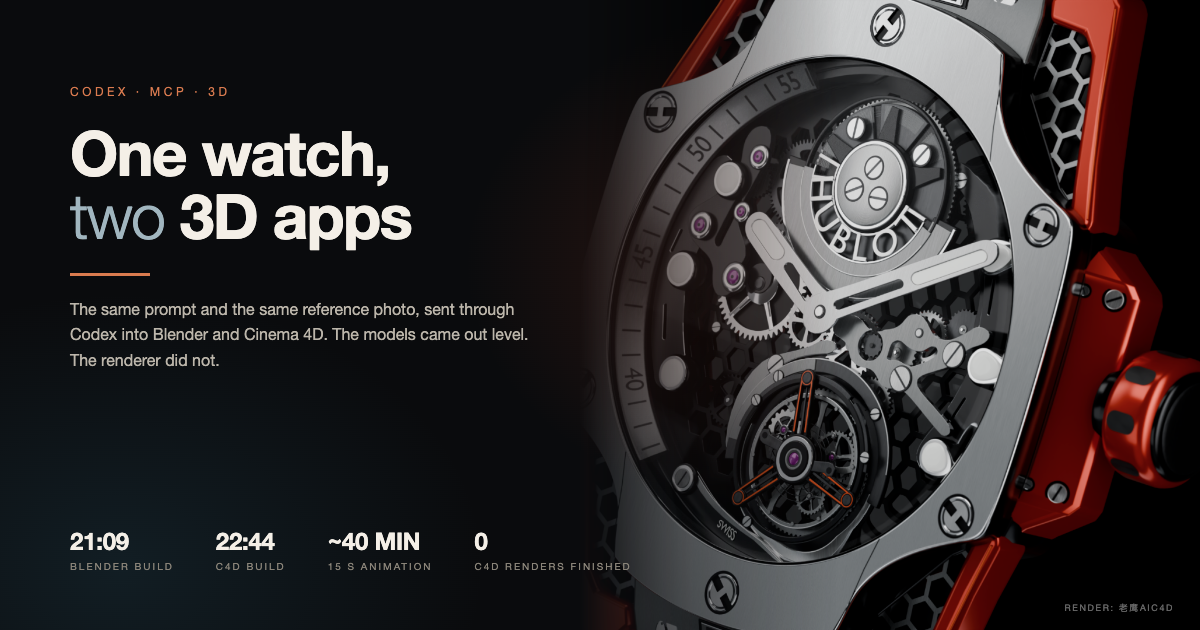
- model
- GPT-6.2 Astra · Codex · reasoning at Ultra
- setup
- MCP into Blender 5.2.3 and Cinema 4D 2027.0.0
- input
- Same prompt · same 600×600 reference photo
- build time
- Blender 21 min 09 s · C4D 22 min 44 s
- render
- Blender Cycles, free · 15-second animation ≈ 40 minutes
- c4d render
- None finished — no suitable renderer was set up for the test
- verdict
- Modeling level · Blender wins on the finish
- sample
- One product, one run, one machine
- published
- 2026-11-21
- updated
- 2026-11-21
Contents9 sections · 0 items
I ran the same job twice, once per app
This started as a tutorial recording. I wanted to show what the new Codex model does inside a 3D viewport, and the honest way to show it was to give two applications the identical brief and watch both work.
Same prompt. Same reference photo, 600 × 600, a Hublot Big Bang with a skeleton movement. Codex connected over MCP into Blender 5.2.3 and Cinema 4D 2027.0.0. GPT-6.2 Astra on both, reasoning effort Ultra — the expensive setting, because mechanical parts are exactly where a model loses patience.
That last detail matters more than it sounds. The agent was not generating an image. It was writing Python and bpy/C4D calls, checking the viewport, and adding parts one at a time while I watched. I could see the bezel appear, then the screws, then the bridges.
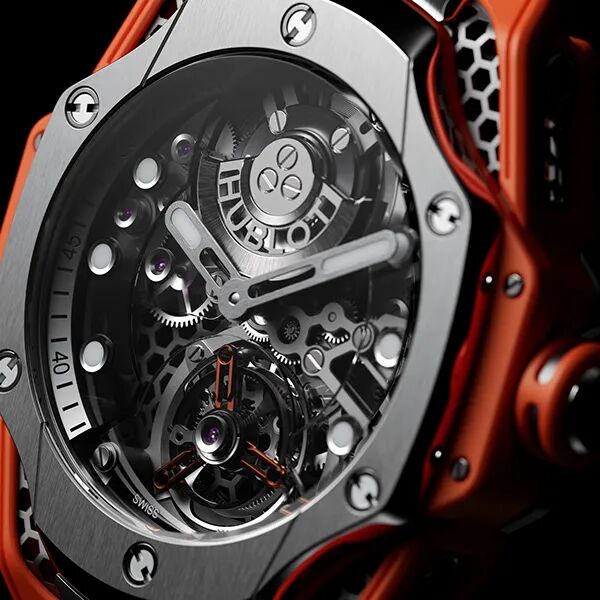
The only input besides the prompt. Both apps saw this exact file.
21:09 against 22:44
| Blender 5.2.3 | Cinema 4D 2027.0.0 | |
|---|---|---|
| Build time | 21 min 09 s | 22 min 44 s |
| Case, hands and movement | Yes | Yes |
| Viewport check | 08:16 | 08:07 |
| Render set up | Cycles, free | None suitable |
| Finished still | Yes | Test render abandoned |
A minute and a half apart, which is nothing at this scale. The gap is not the story. Both apps produced a recognizable watch with a working movement, and at a glance you would struggle to say which came from which.
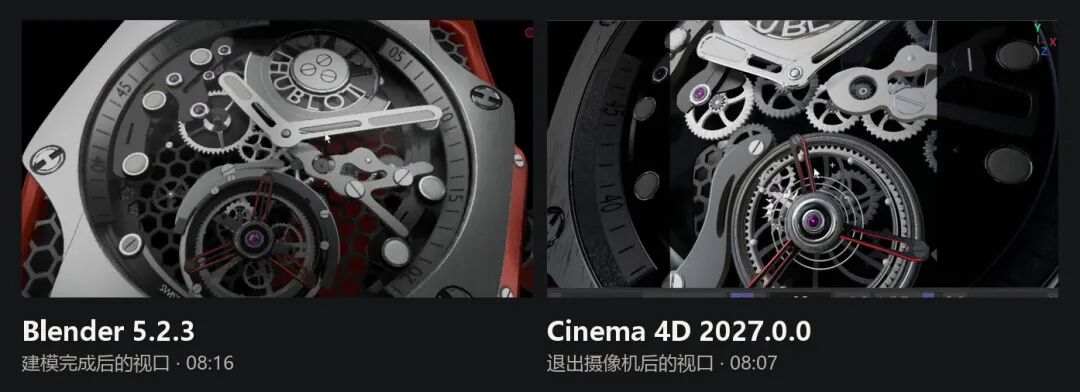
Both viewports, after the agent handed over the scene. The C4D side is zoomed into the movement; the Blender side is still framed on the whole watch.
What each one got right
Cinema 4D surprised me on the inside. Once I released the camera and pushed in, the gears, the skeletonized hands and the tourbillon at six o'clock were all there, separated and readable. Nothing was a texture pretending to be geometry.
Blender was stronger on the outside. The bezel markings were cleaner, the screws sat properly in their countersinks, and the hex-pattern rubber and the red case parts kept their edges under a close look.
If you only compare models, this round is close to a draw — and that is the part people will quote. The interesting difference came one step later.
The renderer decided the rest
Cinema 4D had no suitable renderer configured for this test. I started a test render, waited, and shut it down. That is a setup gap, not a verdict on C4D's renderers — Redshift and Octane are right there — but it is what happened on the night, and it is why there is no C4D final image in this piece.
Blender had Cycles, free and already installed. Metal edges, brushed surfaces and the tiny structure inside the movement only became legible after that pass. The model was never the bottleneck. The finishing step was.
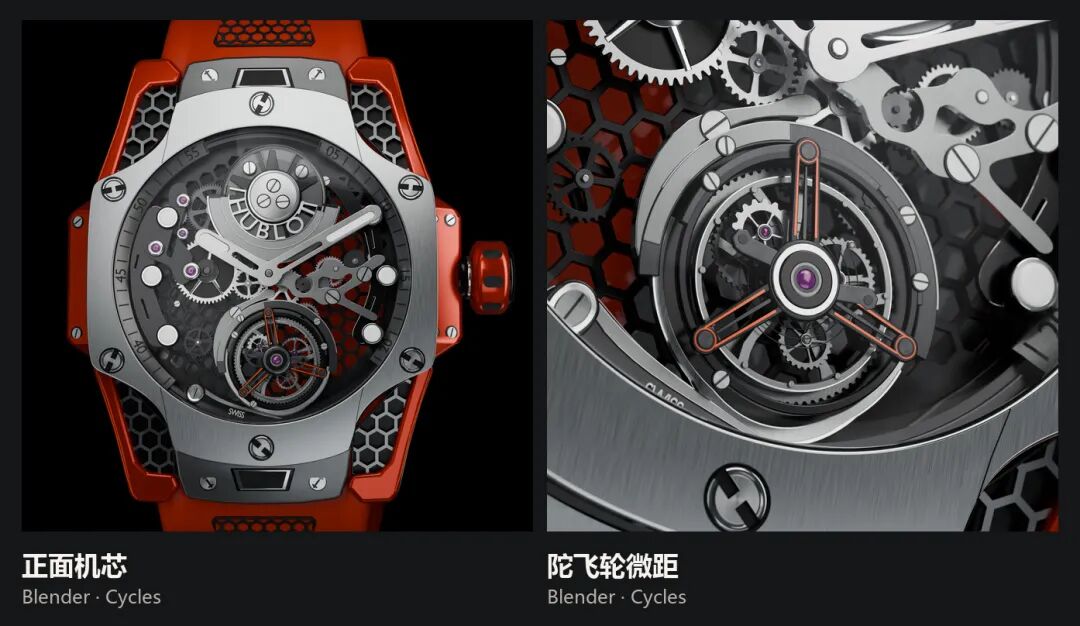
The same scene rendered twice in Cycles. The macro is where the model either holds up or falls apart, and it held.
The animation pass is where the AI still shows
I asked for a 15-second clip: gears turning, a few camera positions, cut together. Cycles took close to 40 minutes for those 15 seconds.
The gear rotation read fine. The failures were directorial. Moving from the crown to the movement close-up, the camera's ease-in and ease-out were wrong — too abrupt on the way in, too soft on the way out — the kind of thing an animator fixes in ten seconds and a model does not notice at all.
That is the current division of labor in one shot: the model can build the object and light it, and it still cannot feel a cut.
Same Blender, one model apart
I had made a version of this watch that morning with Sol, also in Blender. On its own I liked it; the metal highlight on the bezel was lovely. Put the two side by side and the gap is not subtle.

Same application, same reference. The difference is the model and the reasoning budget, not the software.
The newer run has more separate parts, cleaner transitions between materials, and screws that read as screws rather than as bumps. Whatever changed between the models, it shows up as patience.
Verdict
Primary recommendation: if the job is a hard-surface product like this, put Codex on Blender and keep Cinema 4D for the shots where you already have a Redshift or Octane pipeline running.
The modeling question is settled enough to stop arguing about: for mechanical products, Codex is usable, not a demo. Lighting and rendering reached what I would call mid-to-senior human level — at copying. Give it a reference and it will trace the reference beautifully. Ask it to art-direct something with no reference and I would not expect the same result.
The renderer question is the one that decided my evening. Blender finished because Cycles was already there. C4D would probably have finished too, with a renderer configured and thirty extra minutes of setup. That is not a software flaw. It is what "free and already installed" is worth at 11 pm.
What this test does not prove
- One product, one run. A watch is the friendliest possible case: hard surface, repeated parts, one hero object, a reference that shows every detail. Organic modeling, cloth, characters and environments are different fights.
- No measured topology. I judged the result by eye and by render, not by inspecting the mesh. A model can look right and still be a nightmare to edit.
- C4D never got a fair render. Without Redshift or Octane configured, the comparison stops at the viewport, and I am not going to pretend otherwise.
- Timings are machine-and-network specific. 21 minutes is this machine, this MCP setup, this model at Ultra. Your queue, your GPU and the provider's load all move that number.
- The model will change under you. Two runs a week apart already looked different. Treat any benchmark as a snapshot of a moving target.
- Cost is not zero. Blender is free; Cinema 4D is a subscription; Ultra reasoning on a long agent session is not free either.
What it cost
| Line | Reality |
|---|---|
| Blender | $0, Cycles included |
| Cinema 4D | Subscription, renderer sold separately in practice |
| Agent | Codex session at Ultra effort, token-heavy for 20+ minutes of tool calls |
| Machine time | ~40 minutes of Cycles for 15 seconds of finished animation |
The bill that decides this comparison is not the licence. It is the hour you spend wiring MCP into a second application just to find out the renderer was never installed.
Sources
- [1]
- [2]Blender — free and open-source 3D creation suiteBlender Foundation
- [3]Maxon Cinema 4DMaxon
Related cases
- → Getting ThereExperiment
- → PapertrailsExperiment
- → fighterExperiment